
The Isle Cheats for Evrima
Evrima has dense cover and moving threats. Player, NPC and animal ESP reveal species, growth and distance while resource markers help you plan where to go next. Check Windows and Cloud DMA requirements before purchase.
Product Overview
At a glance
Key capabilities
The short list for The Isle Cheats, before the full module list.
Another 20 options are in the full list below.
Overview
The Isle tools for the Evrima branch
How the listed tools and setup requirements fit an Evrima session.
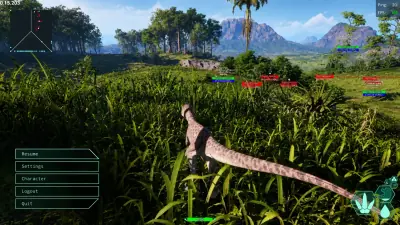
Read nearby dinosaurs with species, growth, health and stamina ESP, then use distance and direction to judge the scene. Aim assistance, a head dot and radar complement the world overlay.
Resource markers cover corpses, gore, fruit and water. Fullbright, color controls and configurable keys help keep the interface readable. Evrima and Cloud DMA requirements apply.
In Evrima, a label is most useful when it tells you what the dinosaur is and how far it has grown. Player, NPC and animal ESP combine species, growth, health, stamina and direction with distance markers so you can read the scene before moving through cover.
Information for the next move
Corpse and gore markers help locate feeding opportunities. Fruit and water markers add resource information for longer routes. Boxes, snaplines, names, colors and maximum distance controls let you choose how much of that information stays on screen.
Species and growth before the encounter
A marker alone cannot explain the animal ahead. Species and growth make it more useful: identify the dinosaur, compare its development with yours and read its health and stamina alongside distance. Player direction adds another reference when several animals are moving through the same area.
Aim assistance for moving targets
The listed aim tools include aim assistance, a head dot and a visible check. The dot provides a visual reference on a moving model. Treat the controls as part of your setup while keeping reach, terrain and bite timing in mind. The product listing does not establish a guaranteed hit rate.
Resources and a readable overlay
Use corpse, gore, fruit and water markers for the resources that matter to your dinosaur. Start with a short marker distance and expand it only as needed. Boxes and snaplines can help locate an animal in foliage, while names, species and growth explain what the marker represents.
Radar, lighting and session controls
Radar provides another view of nearby activity. Fullbright changes lighting, while the crosshair and optional FPS, resolution and time readouts keep useful references visible. Custom ESP colors, menu and panic keys, and saveable configs let you return to familiar controls.
Windows and Cloud DMA requirements
The product is listed for Windows 10 or 11 with Intel or AMD hardware and the Evrima branch. HVCI, Core Isolation, TPM and Secure Boot must be enabled. Cloud DMA is required for full functionality. Its single-PC Hyper-V setup and the separate GREENWARD, Static Server and AWS purchases need review before checkout.
Delivery and changing compatibility
Purchase buttons open external checkout for current options and order terms. Follow the delivery and setup instructions attached to your order, and use support when a step is unclear. Game and anti-cheat updates can change compatibility; these pages do not provide a live status guarantee.
Modules
What's included
The full option list for The Isle Cheats. Each line can be switched in the menu.
- Aim assistance
- Player ESP
- NPC ESP
- Animal ESP
- Boxes
- Snaplines
- Names
- Distance
- Corpse markers
- Health
- Stamina
- Growth
- Species
- Player direction
- Head dot
- Visible check
- Gore markers
- Fruit markers
- Water markers
- Maximum ESP distance
- Radar
- Crosshair
- Fullbright
- FPS readout
- Resolution readout
- Time readout
- Custom menu key
- Custom panic key
- Custom ESP colors
- Saveable configurations
- English and Russian menus
Experience
Menu layers · After checkout
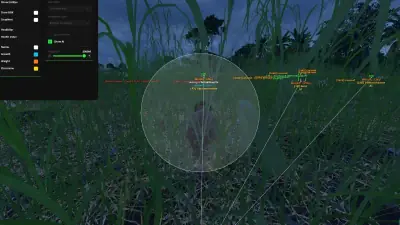
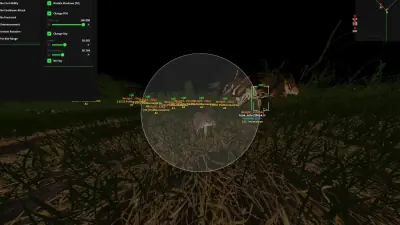
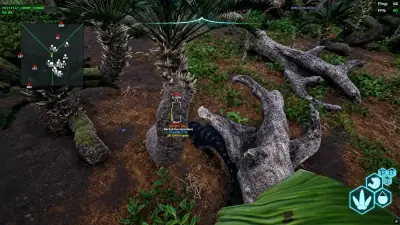
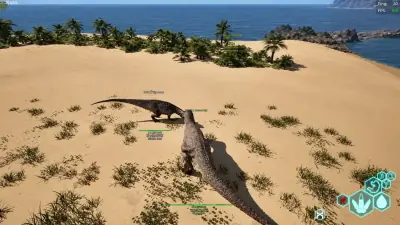
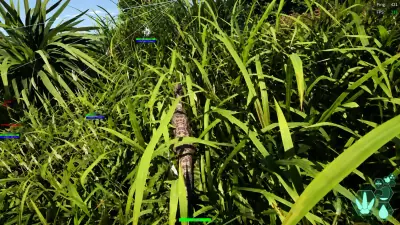
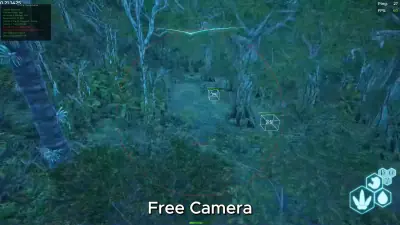
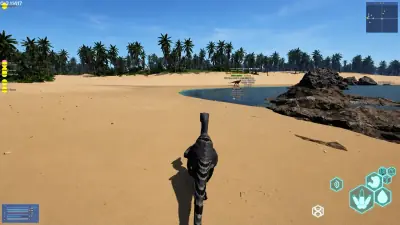
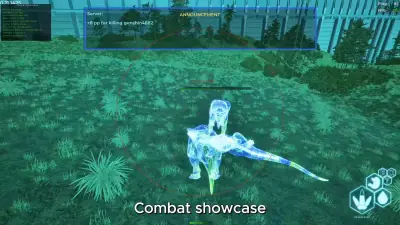
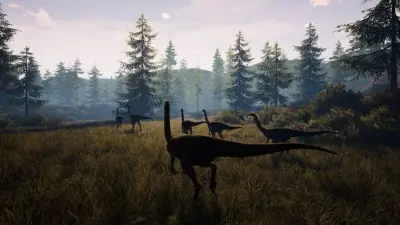
The supplied screenshots show Evrima gameplay and overlays. Read the feature list for this product, then review the requirements before checkout.
In-game layers
- Layer A
Valley overlay
Evrima gameplay capture. The product feature list describes the included options.
- Layer B
Species and growth
Evrima gameplay capture. The product feature list describes the included options.
- Layer C
Nighttime capture
Evrima gameplay capture. The product feature list describes the included options.
- Layer D
Jungle roots
Evrima gameplay capture. The product feature list describes the included options.
- Layer E
Beach encounter
Evrima gameplay capture. The product feature list describes the included options.
- Layer F
Dense grass
Evrima gameplay capture. The product feature list describes the included options.
- Layer 7
Camera capture
Evrima gameplay capture. The product feature list describes the included options.
- Layer 8
Shoreline capture
Evrima gameplay capture. The product feature list describes the included options.
- Layer 9
Combat capture
Evrima gameplay capture. The product feature list describes the included options.
- Layer 10
Herd in a clearing
Evrima gameplay capture. The product feature list describes the included options.
More products
Pairs well with
Utilities sold beside the cheat. Each one keeps a separate page.
- HWID Spoofer A separate hardware utility for identifier changes and trace cleanup. It does not lift an account sanction or guarantee access to The Isle. View details: HWID Spoofer
- Cloud DMA A required setup layer for full cheat functionality. Review Hyper-V support and the separate GREENWARD, Static Server and AWS purchases. View details: Cloud DMA
- Skin Changer Preview supported cosmetic options locally. Ask support to confirm the supported titles; this page does not promise The Isle cosmetic compatibility. View details: Skin Changer
FAQ
Questions about this page
Answers for this page. The FAQ page holds the rest.
Blog
Related guides
Filter by topic to find setup guides, feature deep-dives, and patch-day notes.
Evrima kills you from behind a fern. Species, growth and stamina reads turn the island from a guess into a picture you can act on.
Every marker in this game is a threat assessment. Species, growth and stamina decide the fight before it starts, and the filters decide whether you can read them.
Evrima combat is timing and distance, not precision. Aim assistance helps with the second half of a bite, and the head dot and visible check keep it honest.
The Isle ships two different games under one Steam page. One gets the updates, one gets the nostalgia, and a cheat only works on one of them.
Every failed install is a firmware or Windows setting. Work the checks in order, then follow the install and launch sequence exactly.
Evrima patches often. Here is the order that separates a patch problem from a machine problem, and the checks that rule each one out.
The Isle discussions
Read discussion
Read-only discussions about Evrima features, setup and purchase questions.
- The Isle what does the esp actually show, growth and weight included Explainer thread. Growth percentage, weight and bite radius get described, and the replies explain why a full grown rex and a fresh sub look identical until you can read the stats.
- The Isle world esp for herbivore runs, what actually shows up Herbivore thread. The world ESP gets explained as a diet tool, and one person argues herbivore is the harder role to grow so the food markers matter more.
- The Isle aimbot for dinosaur melee, how do you even tune this Config thread with a melee focus. Bite radius comes up constantly, and the argument is about whether tight FOV or wider smoothing matters more in a body check fight.
- The Isle radar and growth tracking so you stop dying at 60 percent Growth survival thread. People talk about sub stage paranoia, radar range settings and the fact that dying at 60 percent hurts more than dying at 20.